
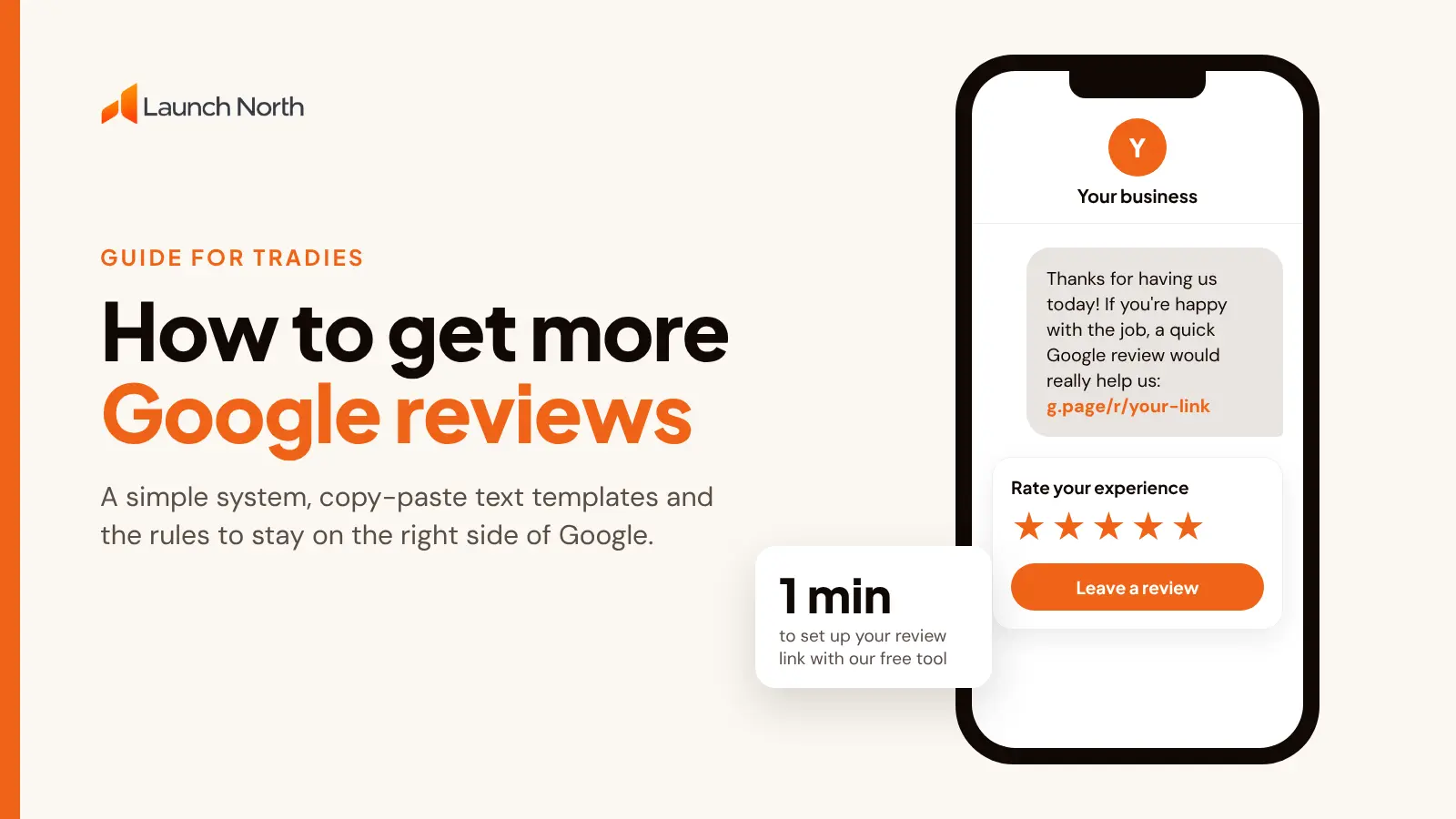
You do good work. Customers tell you so on the doorstep. Then you look at your Google Business Profile and there are eleven reviews, the newest from last year.
That gap costs you. When someone searches "plumber near me" or "electrician Brisbane", Google shows a short list of local businesses with star ratings next to them. Most people pick from that list without scrolling. A business with 90 recent reviews looks like the safe choice. A business with 11 looks like a gamble, even when the work is better.
The good news is that getting more reviews isn't about luck or charm. It's a small system you set up once. Here's how it works, step by step, plus the text templates you can copy today.
Why Google reviews matter so much for local businesses
Reviews do three jobs at once:
- They help you show up. Google says prominence is one of the factors in local search rankings, and review count and rating are part of how it judges prominence. More genuine, recent reviews give you a better shot at the map results.
- They win the click. In the map results, your star rating and review count sit right beside your name. It's often the first thing a customer compares.
- They close the deal. Once someone lands on your website, reviews answer the question every customer has: "Will this person turn up, do a good job and charge what they said?"
For tradies this matters more than most industries, because customers are letting you into their home and trusting you with work they can't check themselves. Trust is the product.
First, the rules (so you don't lose the reviews you earn)
Before you start asking, know what's off limits. Getting this wrong can see reviews removed or your profile restricted, and in Australia it can also be a consumer law problem.
- Don't offer anything in return for a review. No discounts, no entry into a prize draw, no free service call. Google's policies prohibit incentivised reviews.
- Don't only ask the happy customers. Sending unhappy customers to a private feedback form and happy ones to Google (called "review gating") breaks Google's policies, and the ACCC has warned businesses against selectively collecting reviews.
- Don't write your own, or ask friends and family. Fake reviews breach Google's policies and the Australian Consumer Law.
- Don't review yourself from a staff account. Staff reviewing their own employer counts as a conflict of interest.
What you can do is ask every customer, make it easy, and ask at the right moment. That's the whole system.
Step 1: Get your Google review link
Customers won't go hunting for your profile, scroll to the reviews and find the button. Give them a link that opens the review box directly.
You can find it in your Google Business Profile: search your business name on Google while logged in, then look for "Ask for reviews" or "Get more reviews" and copy the link.
Or use our free [Google Review Link Generator](/tools/google-review-link-generator). Search your business, copy the link, and download a QR code for it. It takes about a minute.
Save that link somewhere you can grab it in two taps, like a note on your phone or a text shortcut.
Step 2: Ask at the right moment
The best time to ask is when the customer is happiest, and that's usually the moment the job is finished. The hot water is back on. The new deck is finished. The new downlights look great.
Wait a week and the feeling fades. They've moved on, and your request becomes one more thing on their list.
Good moments to ask:
- Plumbers and electricians: as you pack up from a service call, once the customer has seen the fix and said thanks.
- Builders and renovators: at handover, when the client is walking through the finished job.
- Roofers, landscapers and painters: on the final walk through, or when they send you a "looks amazing" text.
- Maintenance work for property managers: after a job they've praised, or at a contract review.
A simple line works: "Really glad you're happy with it. Would you mind leaving us a quick Google review? I'll text you the link now, it takes about a minute."
Then send the link before you leave the driveway.
Step 3: Make asking part of finishing the job
Most businesses ask now and then, when they remember. That's why they get a review now and then. The businesses with hundreds of reviews treat it as a step in the job, like sending the invoice.
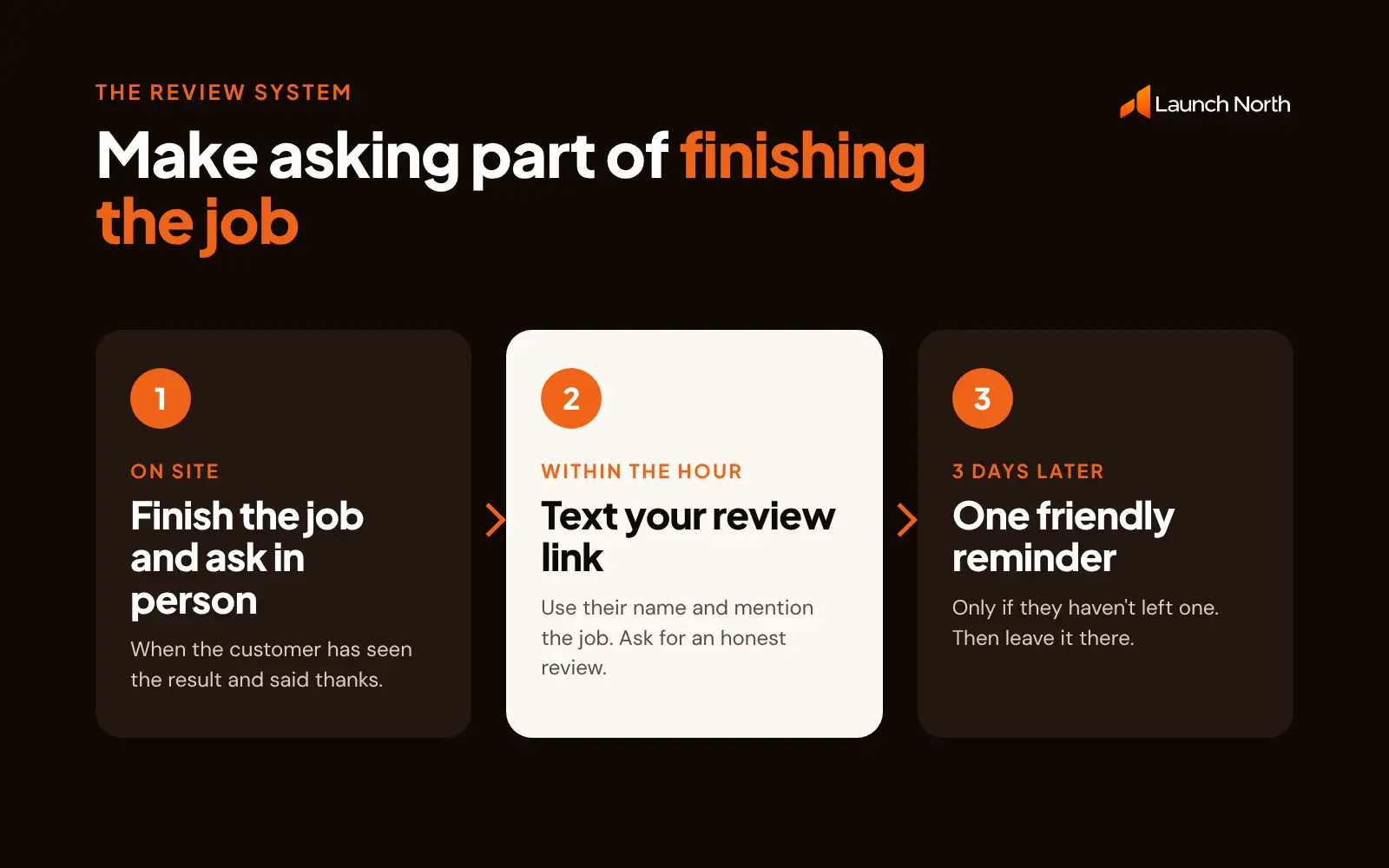
The simplest system:
- Finish the job and ask in person.
- Text the review link within the hour.
- Send one friendly reminder after three days if they haven't left one. Then leave it.
If you use job software like ServiceM8, Tradify, Fergus or simPRO, check whether it can send a review request automatically when a job is marked complete. If you invoice through Xero or MYOB, add your review link to the bottom of your invoice template so every customer sees it.
Step 4: Copy these review request templates
Keep these short. Use the customer's name and mention the actual job, because a message that sounds personal gets far more replies than one that sounds automated.
Text message (send within the hour):
Hi Sarah, thanks for having us today. If you're happy with the new hot water system, a quick Google review would really help our small business. It takes about a minute: [your review link]. Cheers, Dave from Northside Plumbing
Text message for electricians:
Hi Tom, thanks for having us out today. Hope the new downlights are looking good! If you were happy with the job, would you mind leaving us a Google review? It helps other locals find us: [your review link]. Thanks, Josh from Bright Spark Electrical
Reminder (3 days later, once only):
Hi Sarah, just a gentle nudge in case the review link got buried. No worries if you're busy: [your review link]
Email version (for builders and bigger jobs):
Subject: Quick favour? Hi James, thanks again for choosing us for the extension. It's been a great project to work on. If you're happy with how it turned out, a short Google review would mean a lot and helps other families find us. Here's the direct link: [your review link]. Thanks, Ben
Notice that none of these mention a "5 star" review. Ask for an honest review, never a rating.
Step 5: Put your QR code where customers already look
A QR code catches the customers who'd rather scan than type. Print the one from the [review link generator](/tools/google-review-link-generator) on:
- your invoices and quotes
- the back of your business card
- a small sticker inside the switchboard, hot water cupboard or meter box
- a fridge magnet or leave-behind card after a service call
- the side of the ute or van, with "Happy with our work? Scan to review"
Step 6: Put your reviews to work on your website
Here's where most small businesses leave money on the table. They work hard to earn reviews on Google, then their website shows none of them.
Think about how customers actually decide. They find you in the map results, see your rating, then tap through to your website to check you out properly. If your site looks dated and shows no reviews, all that trust you built on Google drops away at the final step.
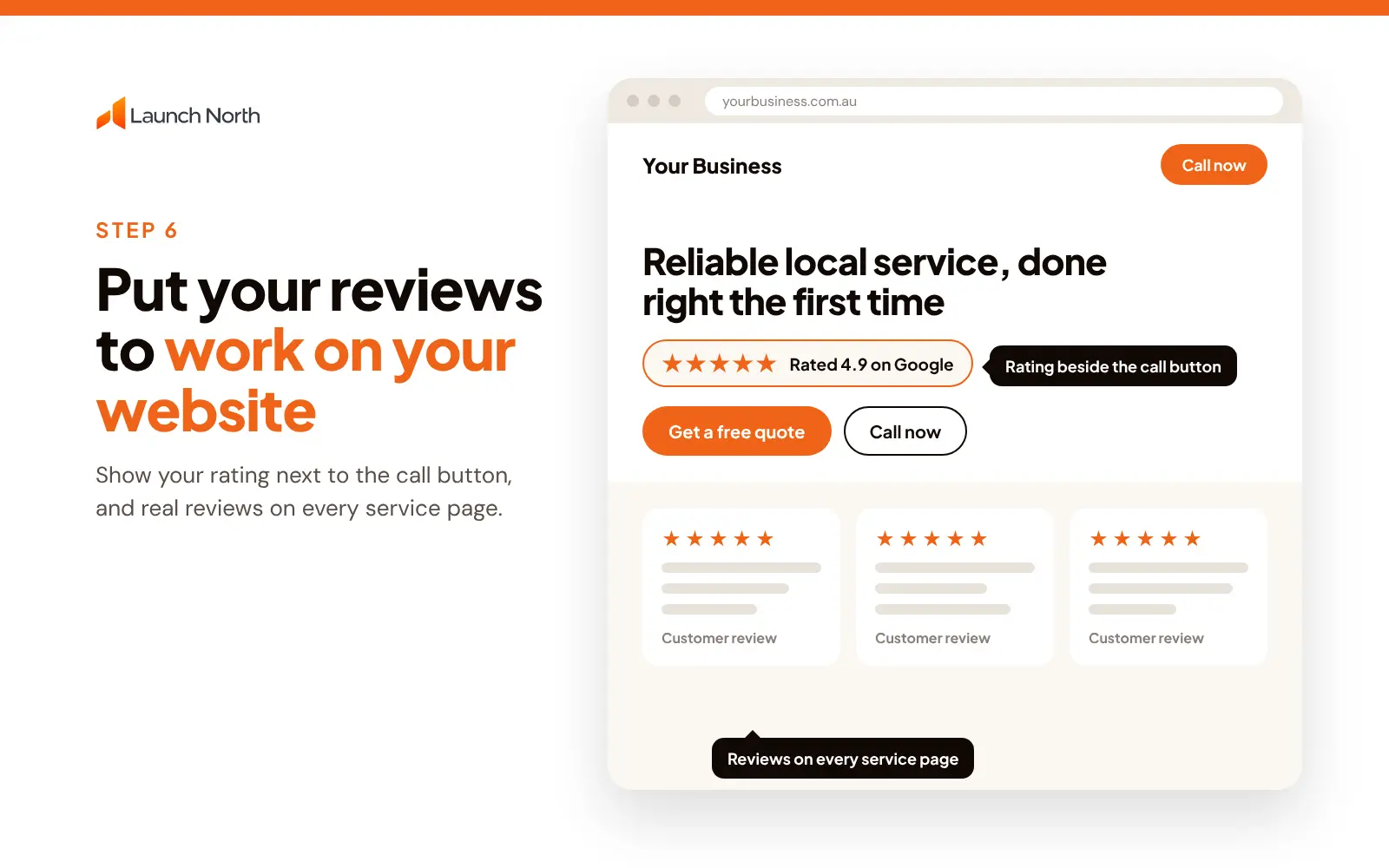
Your website should:
- Show your star rating near the call button, so trust is right next to the action.
- Feature three to six real reviews on the homepage and on each service page, ideally mentioning the service and the suburb.
- Link to your Google profile, so customers can see the full picture.
- Make it easy to call or quote on a phone. Most of these customers are on mobile, standing in a flooded laundry or next to a tripped switchboard.
If your website doesn't do this, reviews are working half as hard as they could. That's the gap we fix. When we build a website, we put your reviews and a click-to-call button right where customers make up their minds, and lead tracking is included in every package, so you can see which enquiries come in. Our packages start at $1,490 and you'll see a first draft within 3 business days of us receiving your content.
Step 7: Reply to every review
Replying shows future customers you care, and it encourages more people to leave reviews.
- Good reviews: thank them by name and mention the job. "Thanks Sarah, glad the new system is keeping up with the kids' showers!"
- Bad reviews: stay calm, reply once, own what you can and offer to fix it offline. Future customers read how you handle complaints more closely than the complaint itself.
Try to reply within a day or two. Set a reminder if you need to.
How reviews fit into getting more work
Reviews are the foundation of local trust, but they work best as part of a bigger picture:
- A website that converts. Reviews get people to your site. Your site turns them into calls and quote requests.
- [SEO](/seo) that gets you found. Reviews help your map listing. Proper service pages and suburb pages help you rank for the searches that bring jobs.
- [Google Ads](/google-ads) for demand right now. Once your website and reviews are solid, ads can put you at the top of the page while SEO builds, and a good rating makes those ads more likely to be clicked.
Start with the review system this week. It's free and it compounds. Then make sure your website is ready for the customers it sends you.
Frequently asked questions
How do I get my Google review link?
Search your business name on Google while logged in to the account that manages your Business Profile, then click "Ask for reviews" or "Get more reviews" to copy the link. You can also use our free Google Review Link Generator, which gives you the link and a QR code.
Can I offer a discount for a Google review?
No. Google's policies don't allow reviews in exchange for discounts, gifts or prize entries, and incentivised reviews can mislead customers under Australian Consumer Law. Ask every customer for an honest review instead.
How many Google reviews does a local business need?
There's no magic number. What matters is how you compare with the other businesses showing in your area, and how recent your reviews are. Aim to keep a steady flow of new reviews each month rather than a burst once a year.
What should I do about a bad Google review?
Reply once, politely and quickly. Acknowledge the problem, explain what you'll do, and offer to sort it out offline. If the review breaks Google's policies (for example it's fake or abusive), you can report it from your Business Profile.
Should I show Google reviews on my website?
Yes. Customers often check your website after seeing your Google rating. Showing real reviews near your call button and on your service pages keeps that trust going and helps turn visitors into enquiries.
Ready for a website that shows off your reviews?
Tell us about your business, your services and the areas you cover. You'll get an instant quote, and we'll build a fast, mobile-friendly website that turns your hard-earned reviews into enquiries.